Skip to content

Review, draft, negotiate and sign music agreements, then prove what was signed.

Upload the agreement you have been sent and every finding comes back with the words it is about, the page they are on and the change to ask for. Send those points to the other side, who needs no account, sign the result, and the executed file is sealed with a fingerprint anyone can check.

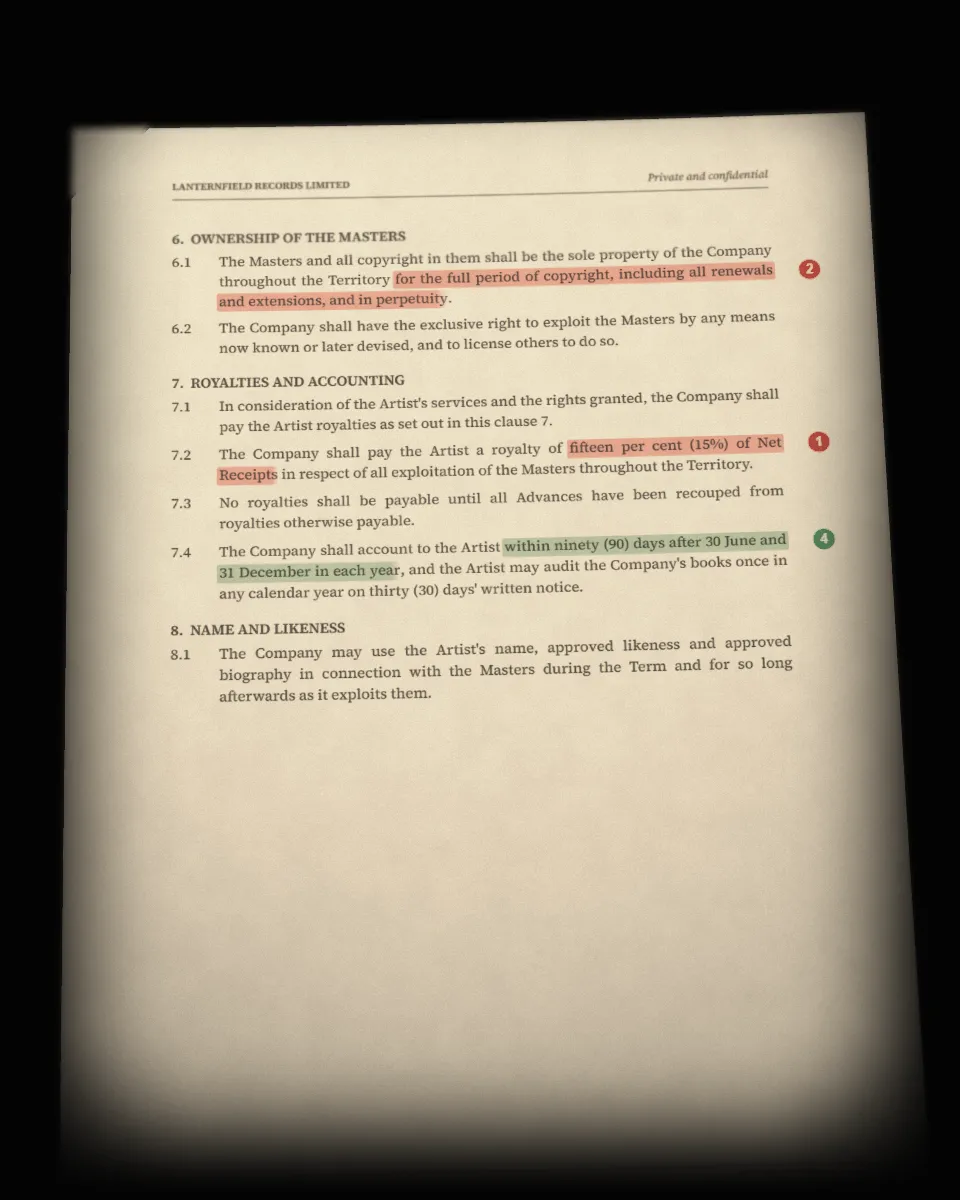
The label's agreement fanned out under a desk lamp, the royalty clause marked in red and numbered in the margin.
01

A review quotes your page, not a summary of it.

Upload a PDF, or a scan or photo of one. Each finding names the clause, quotes the exact words and their page, says what they do in practice and proposes the change to ask for. Findings are sorted into Critical, Caution and Acceptable. An unclear one reads as caution, never as safe.

  • The exact words and their page, for every finding
  • A proposed fix with every Critical and Caution finding
  • A Review Copy: your own file, with the notes in its margin
02

A draft starts from plain questions.

Pick the kind of deal. The questions follow from it, in plain English. You confirm the terms before anything is written, your own details come from your profile, and a draft you leave half done is waiting when you come back. An agreement you already have as text can be pasted in and imported for free.

  • Recording, publishing, management, production, distribution, sync and touring
  • The terms confirmed before a word is generated
  • Saved templates, and your own details filled in
03

Negotiation happens point by point.

Choose the Critical and Caution points you want to raise and the tone to raise them in. The other side opens a link and can accept each point, counter it with different wording or leave a note. One round is live at a time. Once every point is settled, the result becomes Amendment No. 1, ready to sign.

  • Three tones for the same points
  • Accept, counter or note, one point at a time
  • A settled round becomes a numbered amendment
04

Signed once, and provable for good.

Add every signer, yourself included. Each gets their own link and signs with a typed or drawn signature, and you see where each one stands. When the last signature lands the document seals itself with a SHA-256 fingerprint and a QR code, and from then on it cannot be edited or voided.

  • A link for each signer, and no account needed
  • Sealed the moment the last signature lands
  • Checked by anyone on the verify page, with no personal details shown

Worked example

Ivy Marchetti is sent Lanternfield Records Limited's Exclusive Recording Agreement. The review marks clause 7.2, the royalty at 15% with no rise, and clause 6.1, the masters owned in perpetuity, and she raises both. The label accepts 18% and counters on the masters: “The Masters revert to the Artist ten years after the end of the Term.” Both sign Amendment No. 1, and it seals as Saffron-Anthem-D697, a name anyone holding a copy can check.

Watch this deal on the home page

What it does not do

  • It is not legal advice. It reads the agreement and shows its working, and a lawyer still advises.
  • It does not score how fair a deal is. A finding says what the words do and what to ask for.
  • It will not rewrite a sealed contract. A change after signing goes into a numbered amendment.

Questions

Which music agreements can WALDHORN.AI handle?

Recording, publishing, management, production, distribution, sync, touring and more. For most kinds of agreement the review asks which side of it you are on, because the same clause reads differently to an artist and to a label.

What can I upload for a review?

A PDF, or a scan or photo of one as a JPG or PNG. If nothing on the page can be read, the review stops and you are not charged. An agreement you already have as text can be pasted in and imported for free.

Does the other side need an account?

No. They answer a negotiation from a link and sign from a link of their own.

Can a signed WALDHORN.AI document be verified?

Yes. Every sealed document carries a QR code and a SHA-256 fingerprint. Anyone can check it on the verify page without an account, and the public entry holds no personal details.

Start with the contract you are about to sign.